How to Download Twitch VODs and Clips in 2026
Twitch is the one major platform where the content you want to save is on a countdown. A VOD (video on demand — the recording of a past broadcast) does not stay up forever, and once it is gone, it is gone. If you caught a great stream, a speedrun, a tournament, or a moment you want to keep, downloading it before the deletion clock runs out is the only way to hold onto it.
This guide covers VODs and Clips separately, since they work differently, and walks through getting either one saved to your device.
VODs vs. Clips: Know Which One You Have
A VOD is the full recording of a past livestream, exactly as it was broadcast, start to finish. VOD URLs look like twitch.tv/videos/2043215678.
A Clip is a short highlight, up to 60 seconds, that a viewer manually creates from a moment in a stream or VOD. Clips have their own URLs, usually clips.twitch.tv/SomeClipName or twitch.tv/channelname/clip/SomeClipName, and they are a separate piece of content from the VOD they were pulled from.
This distinction matters because they expire on completely different schedules, covered next.
Trim the Best Part
Downloaded a two-hour VOD for one 90-second moment? The Video Trimmer cuts it down with no re-encode and no quality loss.
Try Video Trimmer →How Long You Actually Have
Regular broadcasters: VODs are automatically deleted after 14 days. This is the default for the vast majority of Twitch channels.
Partners and Affiliates with Extended VOD storage: up to 60 days, if the streamer has that feature turned on. Not every eligible streamer enables it.
Highlights: if a streamer manually saves a VOD as a "Highlight" before it expires, that copy stays on their channel indefinitely, on their own decision — this is the one way a VOD survives past its normal deletion date.
Clips do not follow this clock at all. Once created, a Clip generally stays available indefinitely, independent of whether the source VOD it was pulled from still exists. This is exactly why Clips are the more reliable way to preserve a specific short moment long-term, while a full VOD needs to be downloaded within its window or saved as a Highlight by the streamer.
Downloading a Twitch VOD or Clip
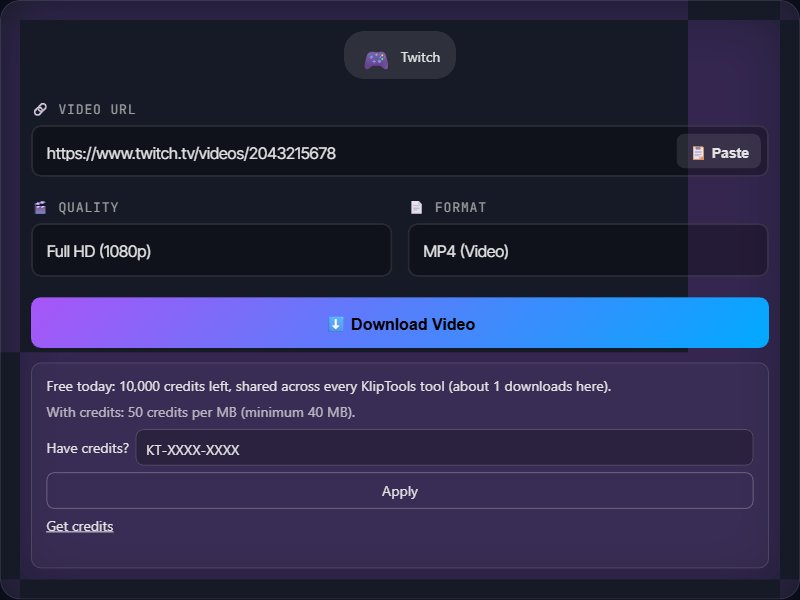
Step 1: Open the VOD or Clip on twitch.tv and copy the URL from your browser's address bar.
Step 2: Open a video downloading tool in your browser, such as the KlipTools Video Downloader, and paste the Twitch URL into the input field.
Step 3: Choose your resolution and format. Twitch VODs are commonly available in Source quality plus a few lower resolutions, depending on what the streamer's broadcast settings produced.
Step 4: Click download. The file saves to your device as an MP4.
Do this well before the 14- or 60-day window closes. There is no way to recover a VOD once Twitch deletes it — no tool, official or otherwise, can pull back a file the platform has already removed from its servers.
Downloading a Live Stream in Progress
A URL-based downloader works on finished, processed VODs — not on a broadcast that is still actively streaming. If you want to save a stream that is happening right now, wait for it to end. Twitch typically finishes processing the VOD within a few minutes of the stream ending, after which the same VOD URL becomes downloadable.
Why a Download Sometimes Fails
The VOD expired. By far the most common cause. If the 14- or 60-day window has passed, the file is gone from Twitch's servers.
Subscriber-only content. Some streamers restrict VODs to their subscribers. A downloading tool cannot access content that requires a logged-in, paying account to view.
Channel bans or suspensions. If a channel gets suspended, its VODs and Clips can become inaccessible, sometimes without much warning.
If a link fails, open it directly in your browser first — if it will not play there either, the problem is on Twitch's side, not the downloading tool's.
Ethical Notes
Streamers' income depends on watch time and subs. Downloading a VOD for personal, offline viewing is different from reuploading a streamer's content elsewhere, which cuts into the views and subscriptions that fund their channel.
Credit clips you share. If you share a downloaded Clip anywhere, tag the streamer and the channel it came from.
Commercial or monetized reuse — using someone's stream footage in your own paid content — needs their permission first.
Frequently Asked Questions
How long do Twitch VODs stay online?
Do Twitch Clips expire the same way VODs do?
Can I download a live stream while it is still happening?
Why did my Twitch download fail?
Can I download just part of a long Twitch VOD?
Wrapping Up
Twitch is unusual among the platforms in this series because the content actually disappears — a VOD you meant to grab "later" can simply be gone by the time you get back to it. If something is worth keeping, download it the same day you watch it rather than trusting the 14-day window to be enough. For more downloading guides, check out our articles on YouTube, Vimeo, and Dailymotion.
What to Do with the Clip
The Video Compressor shrinks a long VOD download down for sharing, the Subtitle Generator adds captions in 90+ languages, and the Video to MP3 tool pulls out just the commentary audio.