How to Download Dailymotion Videos in 2026
Dailymotion has been around since before YouTube dominated the way it does now, and it is still a real destination for news clips, TV segments, sports highlights, and independent creators — especially in France and across Europe. If you have found a Dailymotion video you want to keep, here is how to save it.
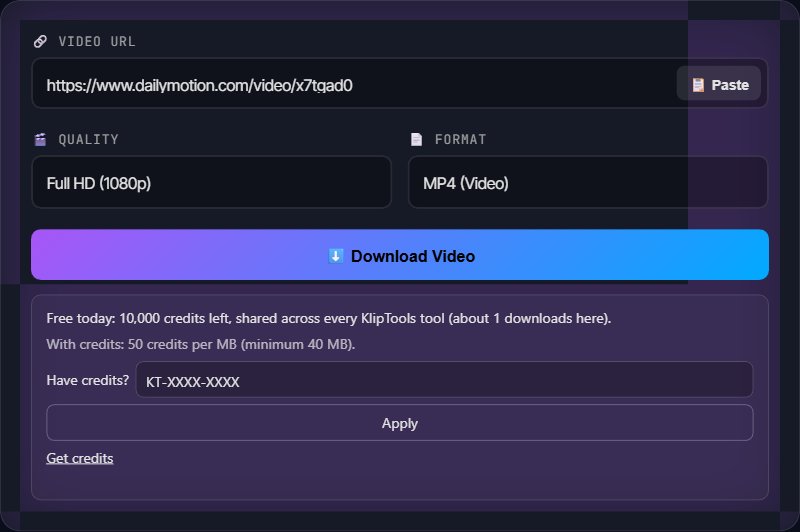
Getting the Dailymotion URL
On desktop or mobile browser: Open the video on dailymotion.com and copy the URL directly from your browser's address bar. It looks like https://www.dailymotion.com/video/x7tgad0.
From the Dailymotion app: Tap the Share icon on the video and choose "Copy Link." This gives you the same style of URL, ready to paste elsewhere.
Shortened or embedded links: If you found the video embedded on a news site or blog, the same rule as other platforms applies — look for a "watch on Dailymotion" link, or check the embed's iframe source for a dailymotion.com URL.
Just Need the Audio?
Switch the KlipTools Video Downloader's format to Audio Only to pull the sound out of a Dailymotion video as MP3, WAV, or FLAC.
Try Video Downloader →Downloading a Dailymotion Video
Step 1: Copy the video's URL as described above.
Step 2: Open a video downloading tool in your browser and paste the Dailymotion URL into the input field.
Step 3: Choose your resolution and format. Dailymotion serves multiple resolutions for most uploads, similar to YouTube's ladder, though the exact options depend on what the uploader provided.
Step 4: Click download. The video saves to your device as an MP4 file.
Why the Dailymotion App's "Save" Button Is Not Enough
The Dailymotion mobile app has its own offline save feature, but it is designed for in-app viewing only — the saved video stays locked inside the app's storage and is not exported as a normal file you can move to your camera roll, share elsewhere, or edit. If you actually want a standalone video file, a browser-based downloading tool is the way to get one, on any device.
Regional Restrictions
Dailymotion carries a fair amount of licensed content — TV network clips, news segments, sports highlights — that comes with regional distribution agreements attached. If a video is geo-restricted, it will not play at all outside the licensed countries, whether you are trying to watch it or download it. This is enforced by Dailymotion's servers checking your location, and no downloading tool can work around a video that will not play for your region in the first place.
Downloading From a Playlist
Dailymotion supports playlists, but most browser-based downloading tools process one URL at a time rather than pulling an entire playlist in one go. Open each video inside the playlist individually, copy its own direct URL, and download them one by one.
Ethical Notes
A lot of Dailymotion content is licensed. News clips and TV segments in particular are usually owned by a broadcaster, not the uploader. Downloading for personal viewing is one thing; republishing licensed content elsewhere can create real legal exposure.
Independent creators rely on views. If you download and later share a Dailymotion video from a smaller creator, credit them and link back to the original.
Frequently Asked Questions
Does Dailymotion have its own download button?
What resolutions are Dailymotion videos available in?
Why is a specific Dailymotion video unavailable in my country?
Can I download a Dailymotion playlist all at once?
Is Dailymotion still active in 2026?
Wrapping Up
Dailymotion downloads work the same way as any other platform in this series once you have the right URL: paste it into a downloader, pick a quality, and save the file. The main things to watch for are the app's limited in-app save feature, which will not give you a real file, and regional licensing restrictions on TV and news content. For more downloading guides, check out our articles on YouTube, Vimeo, and Twitch.
What to Do with the Clip
The Subtitle Generator turns it into a timed SRT or VTT in 90+ languages, and the Video Compressor brings the size down when a platform refuses the upload.