How to Download TikTok Videos Without Watermark in 2026
TikTok's built-in download adds a watermark with your username on it. For most people sharing with friends, that is fine. But if you want a clean version — maybe for a compilation, a presentation, or just because the watermark is annoying — you need a different approach.
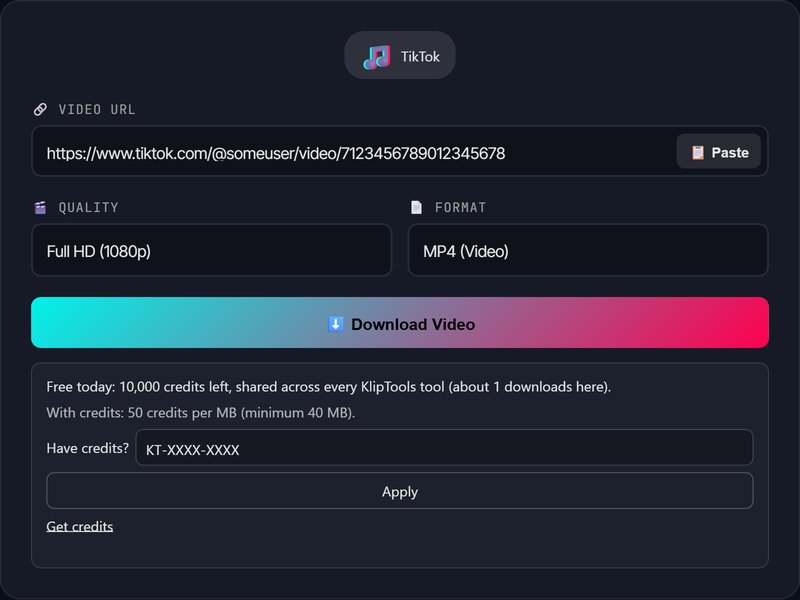
Step-by-Step: Download TikTok Without Watermark
- Open TikTok and find the video you want
- Tap Share → Copy Link
- Open KlipTools Video Downloader
- Paste the link and click Download
- The tool will try to get the watermark-free version automatically
Why Do TikTok Videos Have Watermarks?
TikTok adds watermarks for two reasons: attribution (so viewers know who made the video) and platform promotion (the TikTok logo). When you download through the app, both are baked into the video file.
Want Just the Audio?
Many TikTok trends are all about the audio. Extract it with our Video to MP3 converter — download the video first, then pull out the audio track.
Frequently Asked Questions
Does it work with private TikTok videos?
Can I download TikTok slideshows?
Is this watermark removal?
After the Watermark Is Gone
Need slideshows, sound-only saves or the quality details? The full TikTok download guide covers them.
The Video Trimmer removes the dead seconds at either end without re-encoding, so the picture is untouched. The Video Compressor handles files up to 500 MB and tells you plainly when a file cannot get any smaller, and the Video Converter swaps the container for one your editor will open.